
Parties: Organize shipments around every company involved
A shipment rarely involves just one company.
The business buying the goods may be different from the consignee receiving them. A customs broker may clear the cargo, a freight forwarder may coordinate the move, and a dray carrier may handle the pickup.
Until now, Terminal49 gave each shipment a single Customer field. That worked for simpler workflows, but it meant teams often had to use tags, custom fields, or spreadsheets to keep track of everyone else involved.
With Parties, those companies now have a proper place in Terminal49.
Assign customers, shippers, consignees, customs brokers, freight forwarders, notify parties, and dray carriers to the shipments and containers they are responsible for.
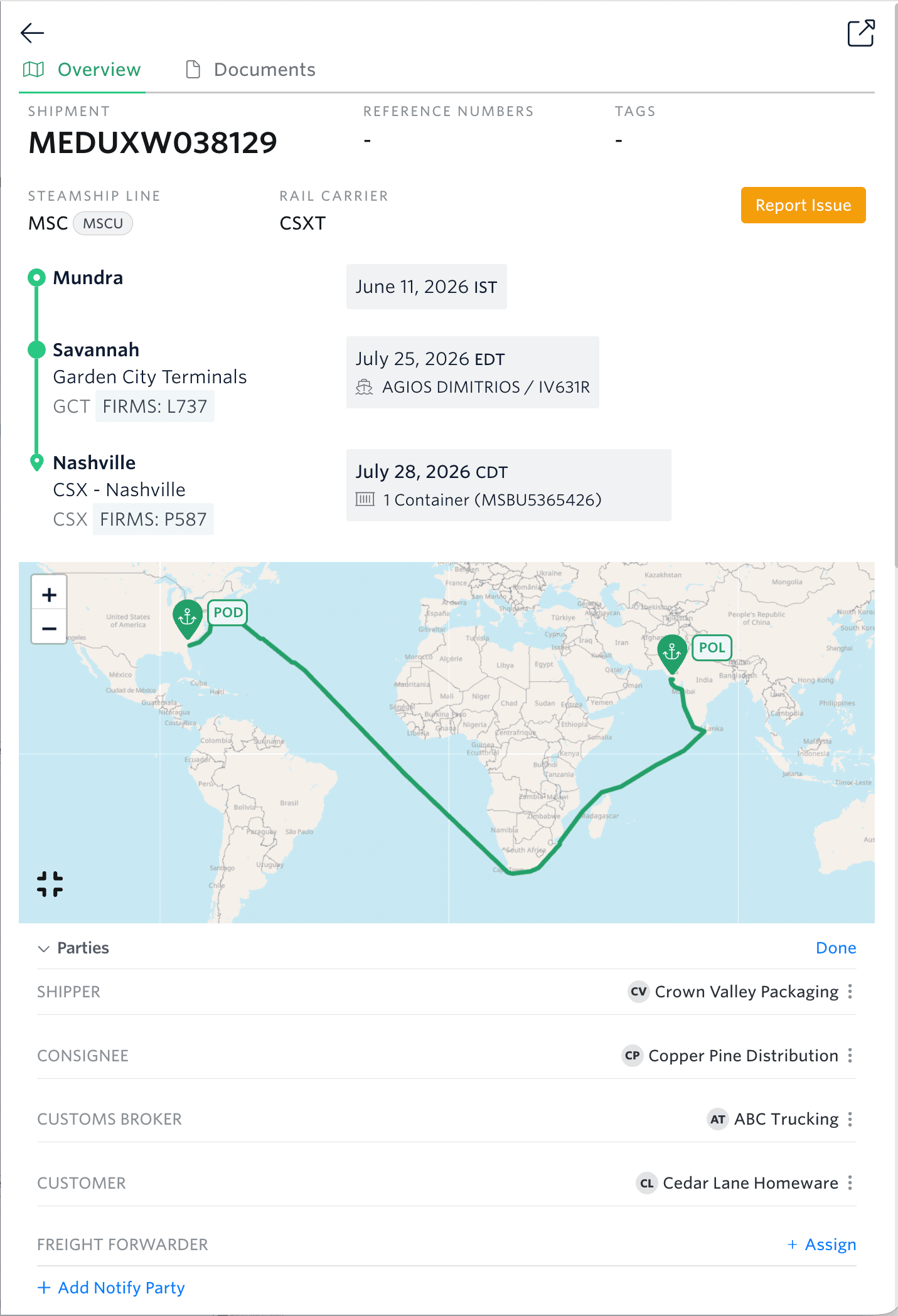
Find and manage shipments by the companies involved
Parties makes it easier to answer everyday operational questions:
- Which shipments belong to this customer?
- Which containers is this dray carrier picking up?
- What is our customs broker handling?
- Which freight forwarder is managing this shipment?
Add Party roles as columns in your Shipment or Container Dashboard, then filter any view by a specific company.
Each team gets a faster way to find the shipments they need, without relying on naming conventions or manually maintained tags.
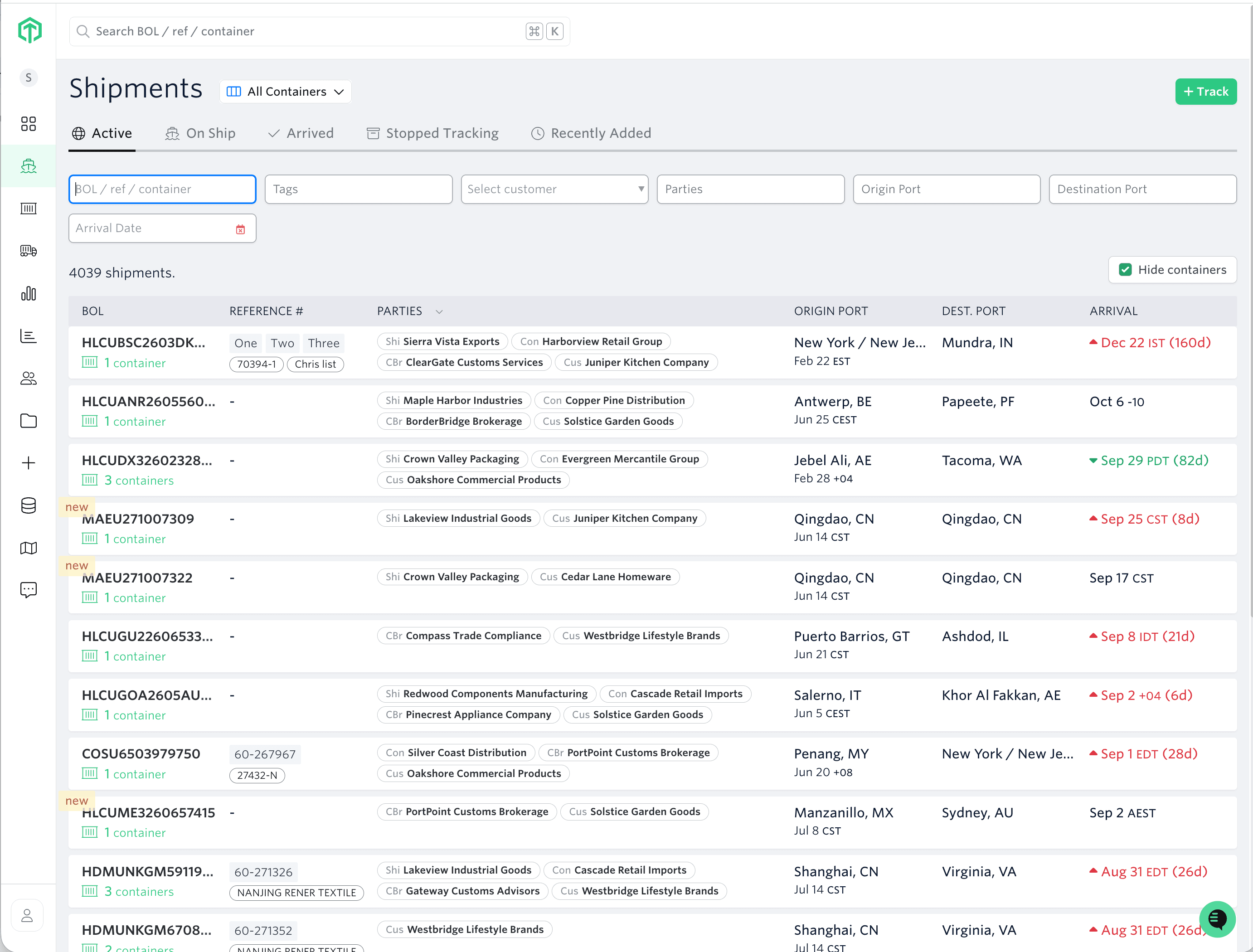
Keep your network in one place
You can assign and edit Parties directly from shipment and container views, or update them across many shipments using bulk uploads.
Every company you add is saved to the new Network page.
Instead of entering the same company repeatedly, your team gets a reusable directory of the customers and logistics partners you work with.
Search by company name or nickname, review the roles associated with each company, and reuse them across your shipments.
What Parties unlocks next
Parties also gives Terminal49 a real model of your network: who you work with, in what role, and on which lanes. That is the groundwork for multi-party collaboration, and for seeing how much of your volume moves across each lane.
