
Custom Fields: Bring your own data into Terminal49
Most teams track more than just where a container is: PO numbers, vendor codes, internal status flags, exception notes, the operational details specific to your business.
Terminal49 never had a place for that data, so it usually lived in a spreadsheet next to your tracking: one more thing to keep updated by hand, and a little more out of date every time a container moves.
With Custom Fields, that data finally has a home inside Terminal49.
Add your own fields to any shipment or container: text, numbers, dates, yes/no, or a fixed list of options. Fill them in yourself, or start from a ready-made Template for things like PO numbers, Incoterms, or invoice amounts.
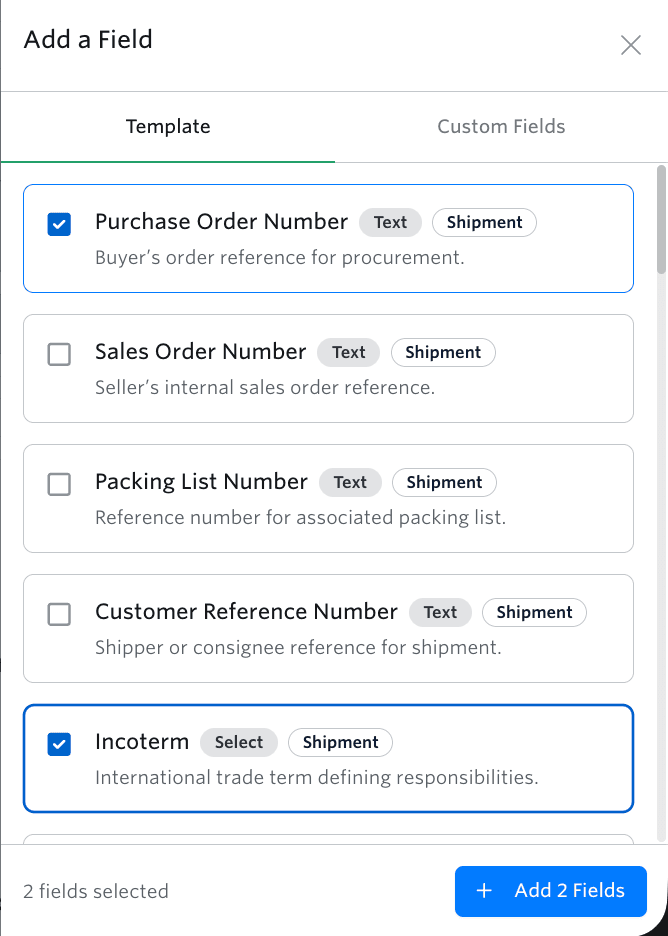
Everyday questions this answers
- What's the PO number for this shipment, without switching systems?
- Which containers are flagged for follow-up today?
- Which fields are fine to share with a customer, and which should stay internal?
Add your fields as columns on the Container Dashboard and edit them inline, or bring them in automatically from your ERP or TMS the moment a shipment is created. Mark a field Sensitive, for pricing, margins, or internal notes, and it stays out of any Shared View where sensitive columns are hidden.
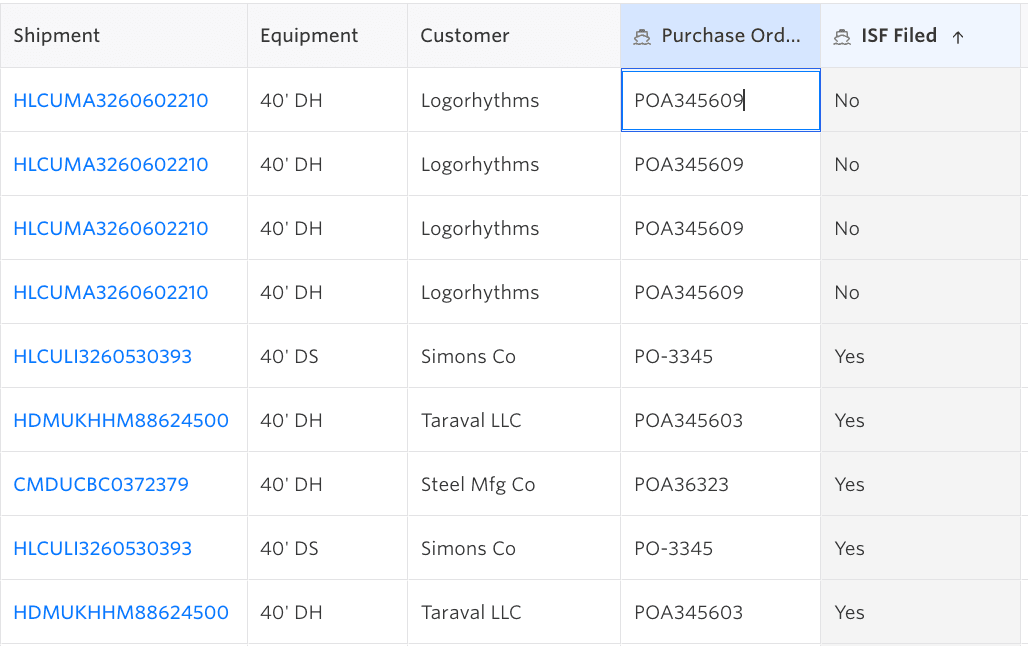
Your data, on your terms
Archived a field by mistake? Its history stays intact. Deletion is reserved for fields that were never used. Custom Fields is included on every plan, with more room as your team grows into it.
What Custom Fields unlocks next
The more of your operation lives in Terminal49, the less of it lives in a spreadsheet. Custom Fields is the foundation for that: your own data, structured and searchable, right alongside the tracking data you already rely on.
