Shipping documents, finally organized.
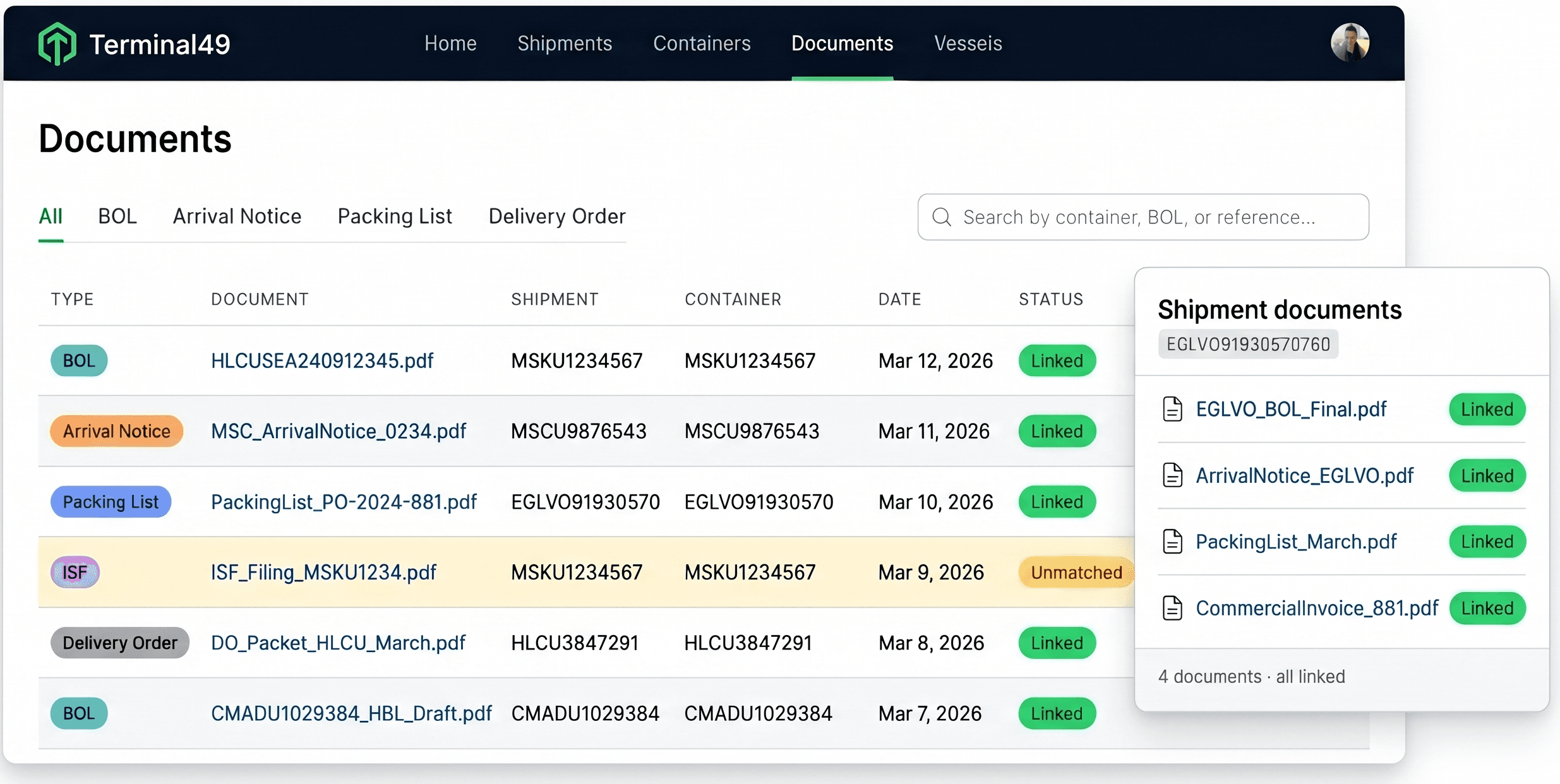
Forward an email, drag a file, or connect via API. Every document lands in one place, classified and linked to the right shipment — automatically.
No credit card required.






Documents and shipment data live in separate systems that never talk to each other
Delivery orders arrive by email to a shared mailbox. When your dispatcher needs one, they search the inbox, or log into the carrier portal — sometimes all three carriers — to track it down. The document exists. Finding it takes time your team doesn't have.
One place for your shipments and your documents
Today's Reality
Documents scattered everywhere
- Documents scattered across email and shared drives
- Manual matching by reference number
- Packet PDFs split by hand
- Manual data entry from packing lists, invoices, and HBLs
With AI Document Hub
Shipments and documents together.
- Every document linked to the right shipment automatically
- Reference numbers extracted and matched instantly
- Packet PDFs split, classified, and linked without anyone touching them
- With Extract, structured document data can flow to your ERP, T49 custom fields, or downstream workflows

- Capture
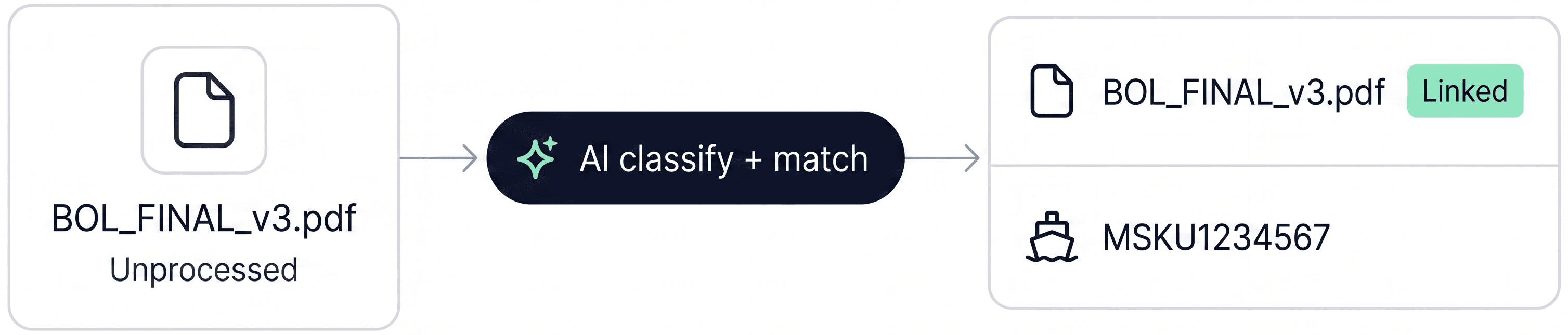
Ingest, classify, and link — automatically
Every document your team receives gets ingested, classified by type, and linked to the right shipment. Packet PDFs are split into individual files. Nothing gets lost, nothing requires manual filing.
- Extract
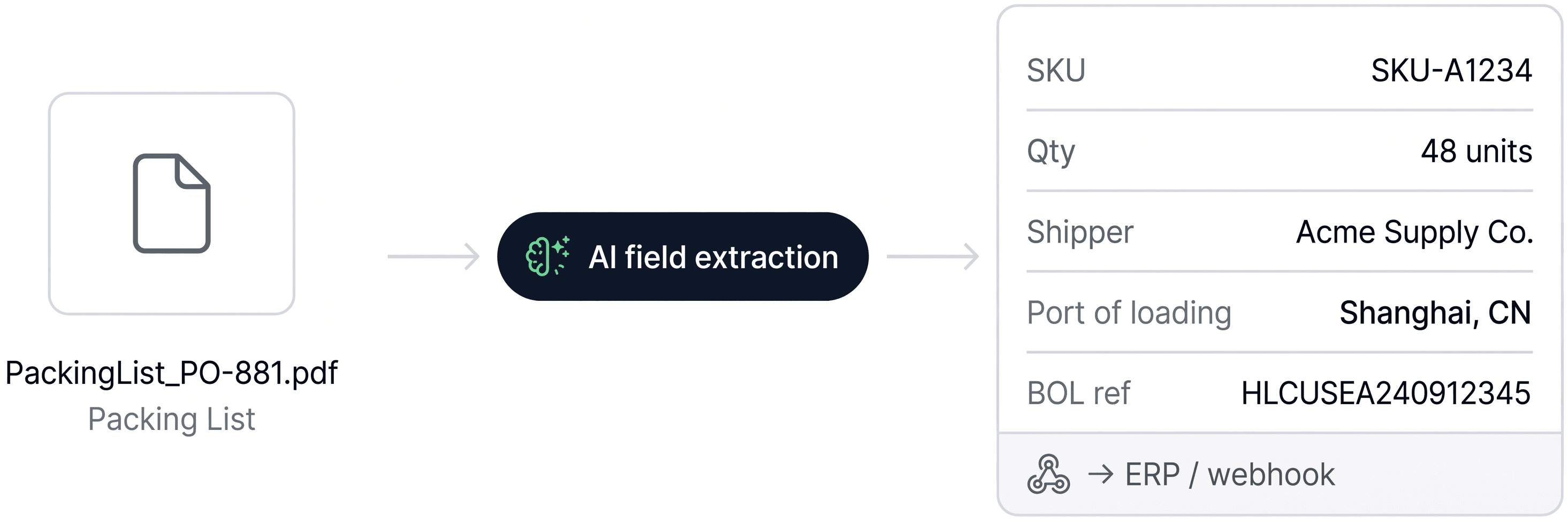
Turn documents into structured data
When downstream workflows need field-level data — line items, quantities, party names, port details — Extract reads the document and delivers structured output via webhook or API.
Most teams start with Capture. Add Extract when you need data to flow downstream.
Everything your team needs to stop filing documents manually
Works with how you already receive documents
Email, drag and drop, or bulk folder upload. Forward documents from your forwarder the moment they arrive — no login required.
Classify, split, and link automatically
Centralize shipping files, classify each document, split packet PDFs when needed, and link everything to the right shipment.
Find what you need in seconds
Quickly search or filter by container, shipment, or reference number instead of digging through folders or emails.
Never manually split a packet PDF again
Forwarders routinely bundle multiple documents into a single PDF. AI Document Hub detects packets automatically, splits them into individual files, classifies each one, and links each to the right shipment.
Extract structured data when workflows need it
For packing lists, commercial invoices, and HBLs, Document Extraction reads line items, SKUs, quantities, parties, dates, port details, and reference codes, then delivers structured data via webhook or API.


From inbox to shipment, then downstream
Capture
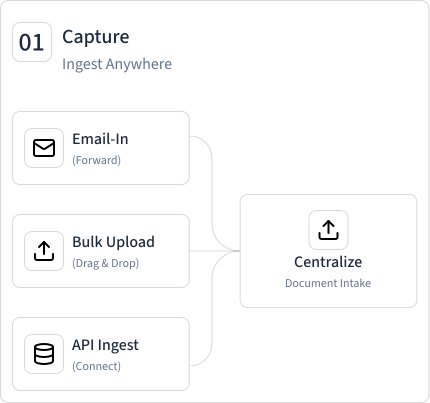
Ingest anywhere
Forward an email, drag a file, or connect via API. Documents arrive in T49 the moment they do in your inbox — no manual uploads, no login required.
Process
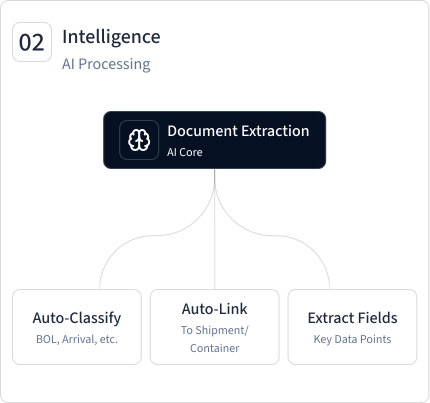
Classify and link automatically
Every document is identified by type, matched to the right shipment, and linked — without anyone touching it. Packet PDFs are split into individual files, each one handled separately.
Access
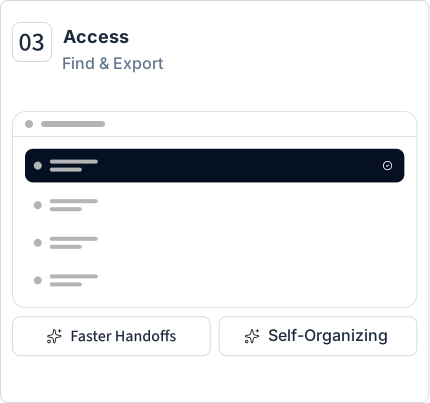
Find anything in seconds
Navigate from any container to its documents in one click. Filter your entire library by document type, container, reference number, or date.
Extract
Add-on tierPull structured data downstream
Line items, quantities, party names, dates — extracted and ready to flow to your ERP or downstream systems via webhook or API.
Common questions
AI Document Hub runs on a simple credit model — credits for Capture, with additional credits for Extract when you need structured data output. See pricing →
Your documents,
where your shipments are
Every document your team receives, automatically filed and linked to the right shipment. Set up in minutes — no IT required.