
Terminal49 for ChatGPT, now live in OpenAI's app directory
Where is this container right now? What happened to it along the way? Questions like that used to mean stopping what you are doing and switching over to another tab, even when you are already in the middle of something else, like a conversation with ChatGPT.
OpenAI has reviewed and approved an official Terminal49 app for the ChatGPT app directory. It is not a workaround or a third-party plugin standing in for Terminal49, it is a sanctioned way to give ChatGPT access to your own account's freight data, the same connection Terminal49 already offers through its Claude connector.
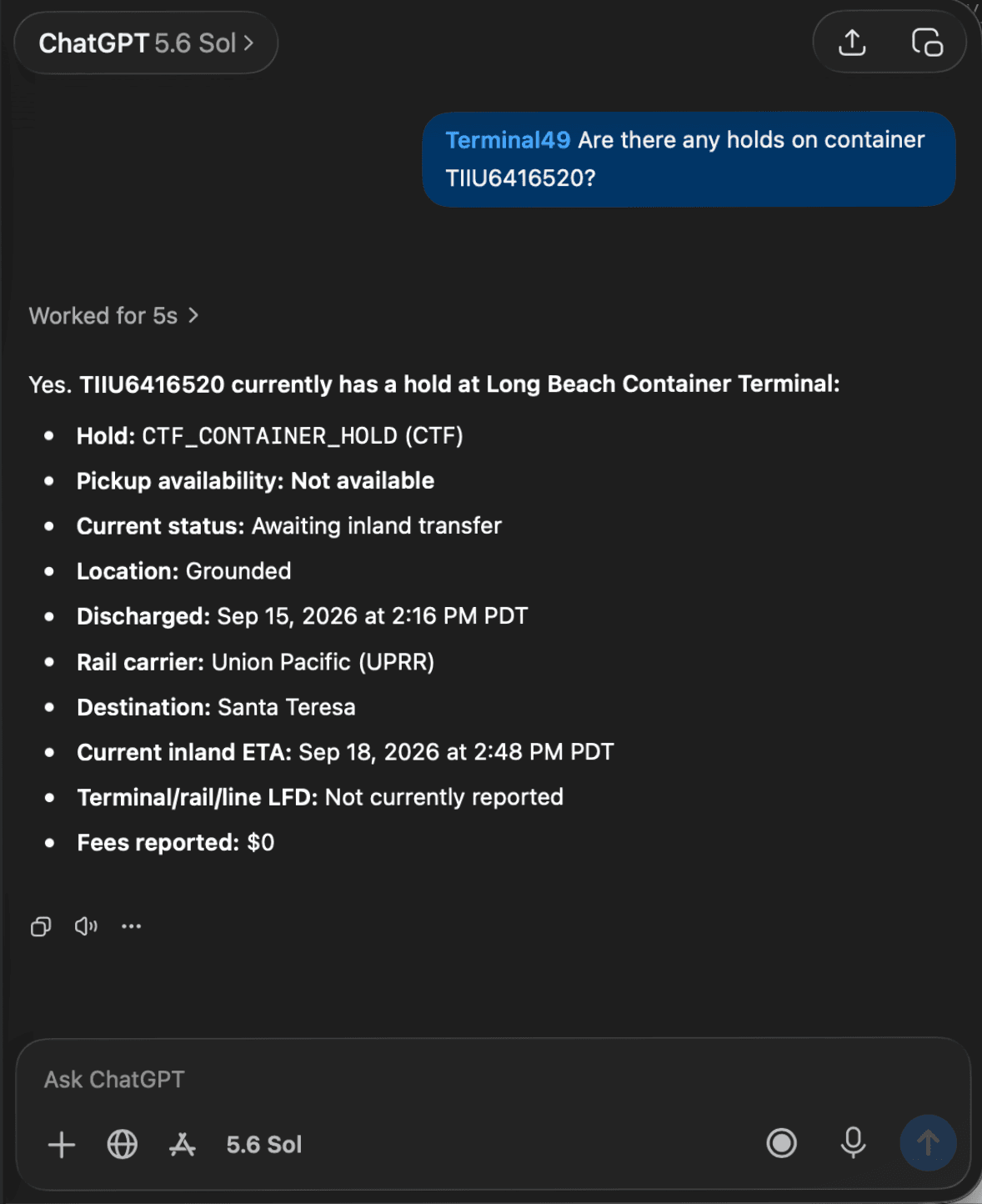
What you can ask
A specific container or shipment
- Find any container by number, bill of lading, or reference
- Check its latest status, pickup availability, holds, and last free day
- Open the full shipment record connected to it
Why something is late
- Review the carrier milestone timeline for a container to see exactly where it changed or stalled
- See a container's full route and the vessel legs it will take
Your whole account, not just one container
- List every shipment, container, or tracking request in your Terminal49 account
- Ask which containers have holds or an approaching last free day, across the whole account
Checking a carrier, or starting to track
- Check whether a given ocean carrier is supported
- Start tracking a new container by number and shipping line, without opening Terminal49 at all
ChatGPT works from your own Terminal49 data, whether you are checking on something or setting up new tracking, right in the conversation you are already having.
How it works
The ChatGPT app connects the same way the Claude connector does. You sign in with Terminal49 and approve the one account you want ChatGPT to see. You never share your Terminal49 password with ChatGPT, and the app can only reach the account you authorized, not your whole company or every account you happen to have access to.
How to connect
In ChatGPT, open the apps directory, find Terminal49, and select Add to ChatGPT. Anyone on your team with a Terminal49 login can connect on their own, no admin setup required.
