
Introducing Global Search
Today, we're launching Global Search on the Terminal49 dashboard. This new feature significantly improves your workflow by allowing you to instantly find details of shipments, containers, or tracking requests directly from any page.
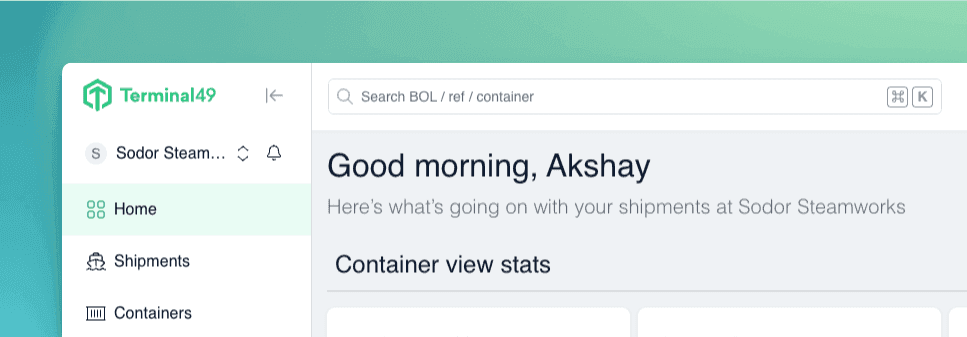
Previously, locating specific shipments or containers required navigating through separate filtering pages, disrupting your workflow and causing potential confusion.
Now, with Global Search, simply enter, or paste a bill of lading, booking, container, or reference number into the search bar at the top of any page, and immediately see detailed results without leaving your current view.
Global Search Highlights:
- Instant Results: Real-time search results appear as you type.
- Search from Anywhere: Accessible on any page within Terminal49—no more navigation between filtering pages.
- In-line Previews: Quickly view essential data without leaving your current view.
- Recent Searches: Easy access to previously searched items.
- Organized Results: Clearly grouped into Shipments, Containers, and Tracking Requests.
- Tracking Status: Instantly confirm if a shipment or container has already been tracked in Terminal49.
Try It Yourself! Just press Ctrl/⌘ + K anywhere within Terminal49 to start experiencing seamless, intuitive searching.
Added
Global Search bar (Ctrl/⌘ + K) is now available across the dashboard. It lets you search for a B/L number, container number, or tracking request without leaving your current page.
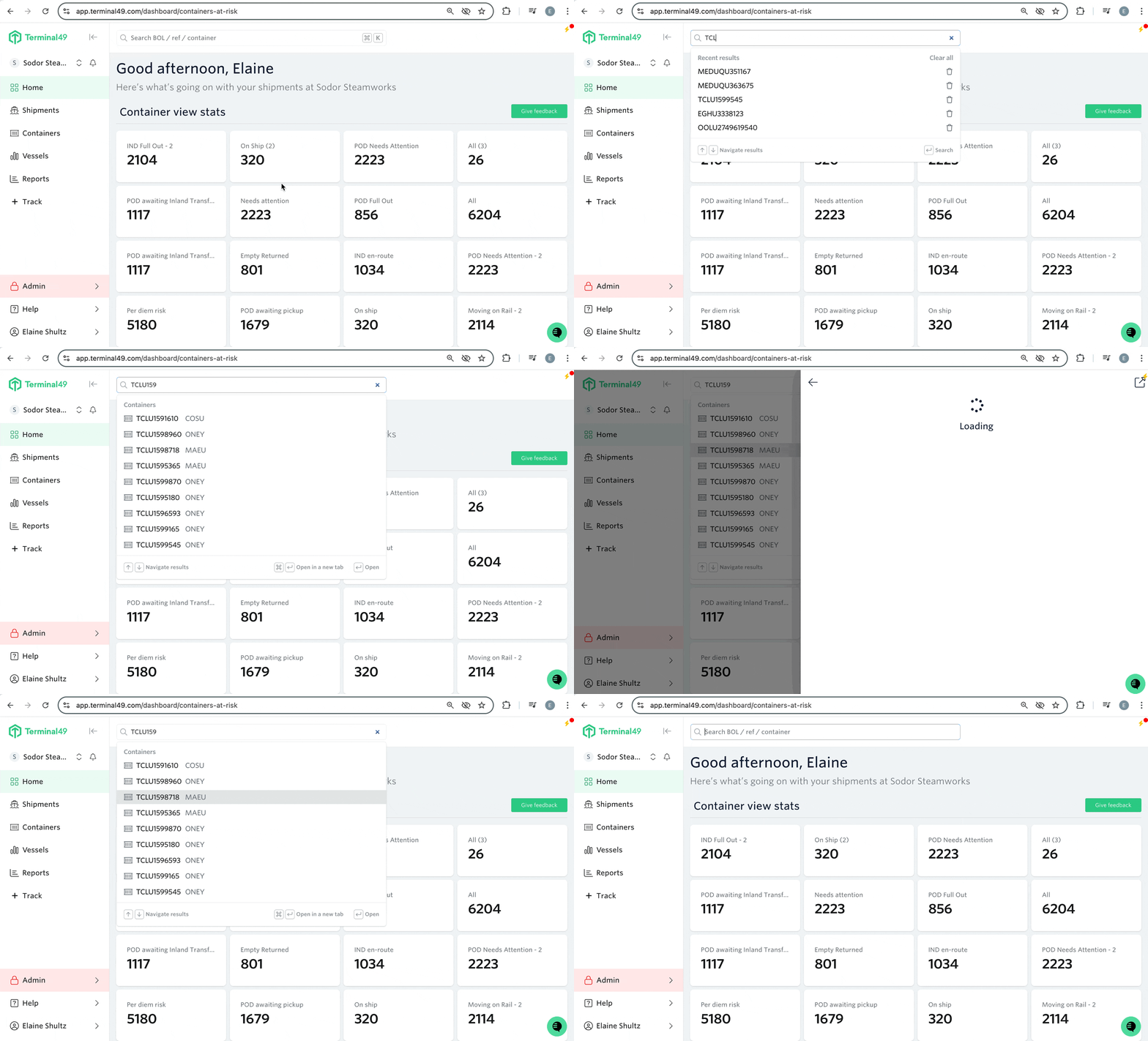
Feature highlights
- Real‑time suggestions as you type
- Keyboard navigation to move through results without touching the mouse
- Recent search history stored per user
- In‑line previews showing key data at a glance
- Results grouped by type: Shipments, Containers, Tracking Requests
What changed?
We saw that search is one of the most‑used actions in Terminal49, but many of you had to open the Shipments page first, then click around to find a record. Global Search removes those extra steps. Now you can jump straight to any shipment, container, or tracking request from anywhere, and if you dont want to use your mouse we provide a full keyboard navigation.
